

Your dashboard
The dashboard’s “How students use Lena” shows, for your whole school:- Active students this week
- Web sessions this week and Mobile sessions this week
- Students engaged, out of the students enrolled, with a percentage
Find a course
Choose Courses in the sidebar. A course appears here once its lecturer publishes it.- Active lists courses that are running; Past lists ones that have ended.
- Needs lecturer lists courses whose lecturer has left, so you can give each to someone. See give a course to another lecturer.
- Search courses… and Filters narrow the list by faculty, department, level, or Owner.
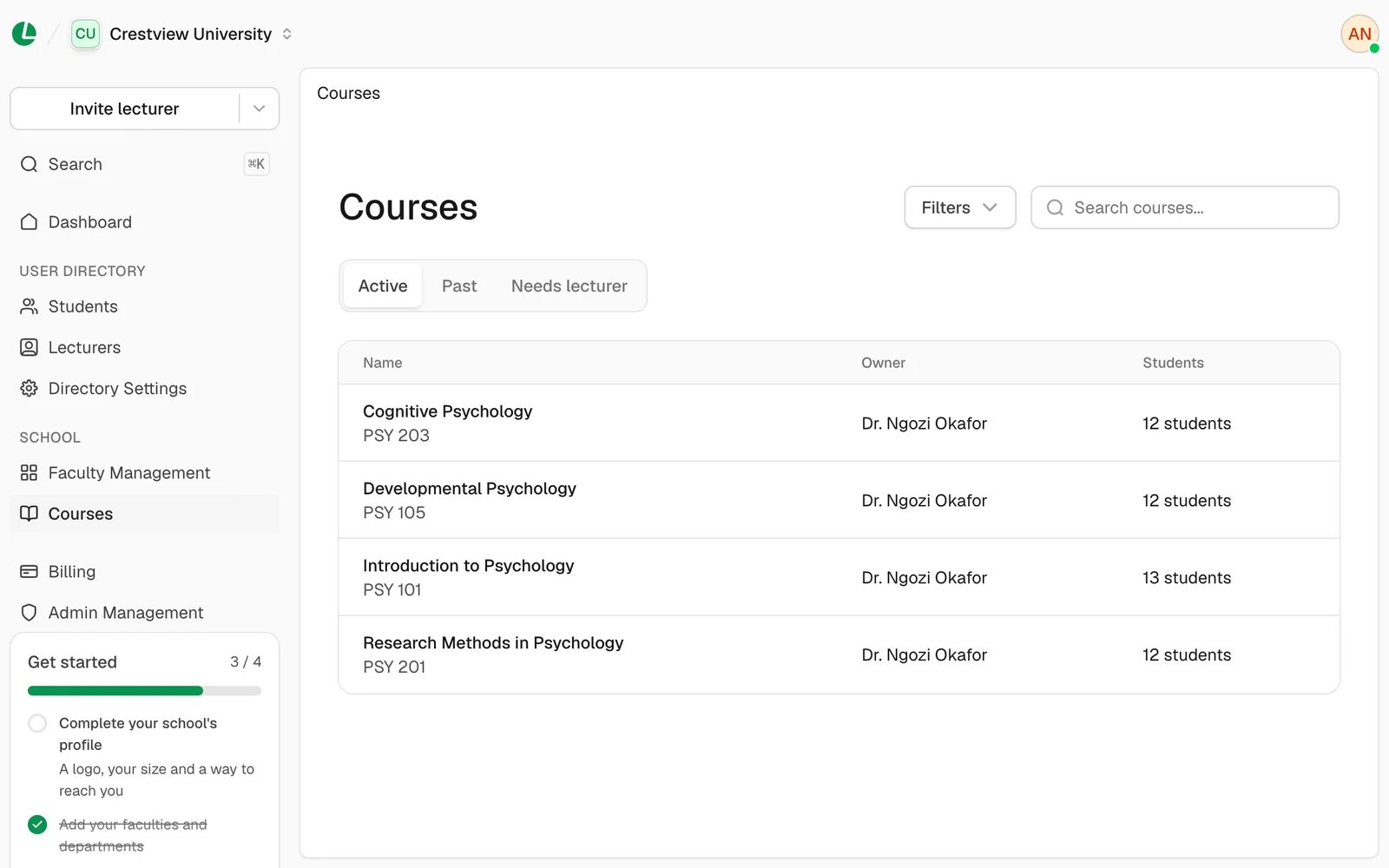
Courses at Crestview University.
Inside a course
Choose a course to open it. It has three tabs:- Details: its title, code, description, owner and when it was created; where it sits in your structure; and how students join: its Entry code, whether it’s Accepting students, how many Students, and Who can join.
- People: its lecturers, with their role on the course, and its students.
- Engagement: how students have used the course.
Engagement
Choose 7 days, 30 days or 90 days. You see:- Materials opened, and how many were downloaded.
- Work handed in: assignments, quizzes and exams.
- Handed in late, as a share of what was handed in.
- A chart over the period, and Handed in: how much of the class handed in each assignment, quiz and exam.
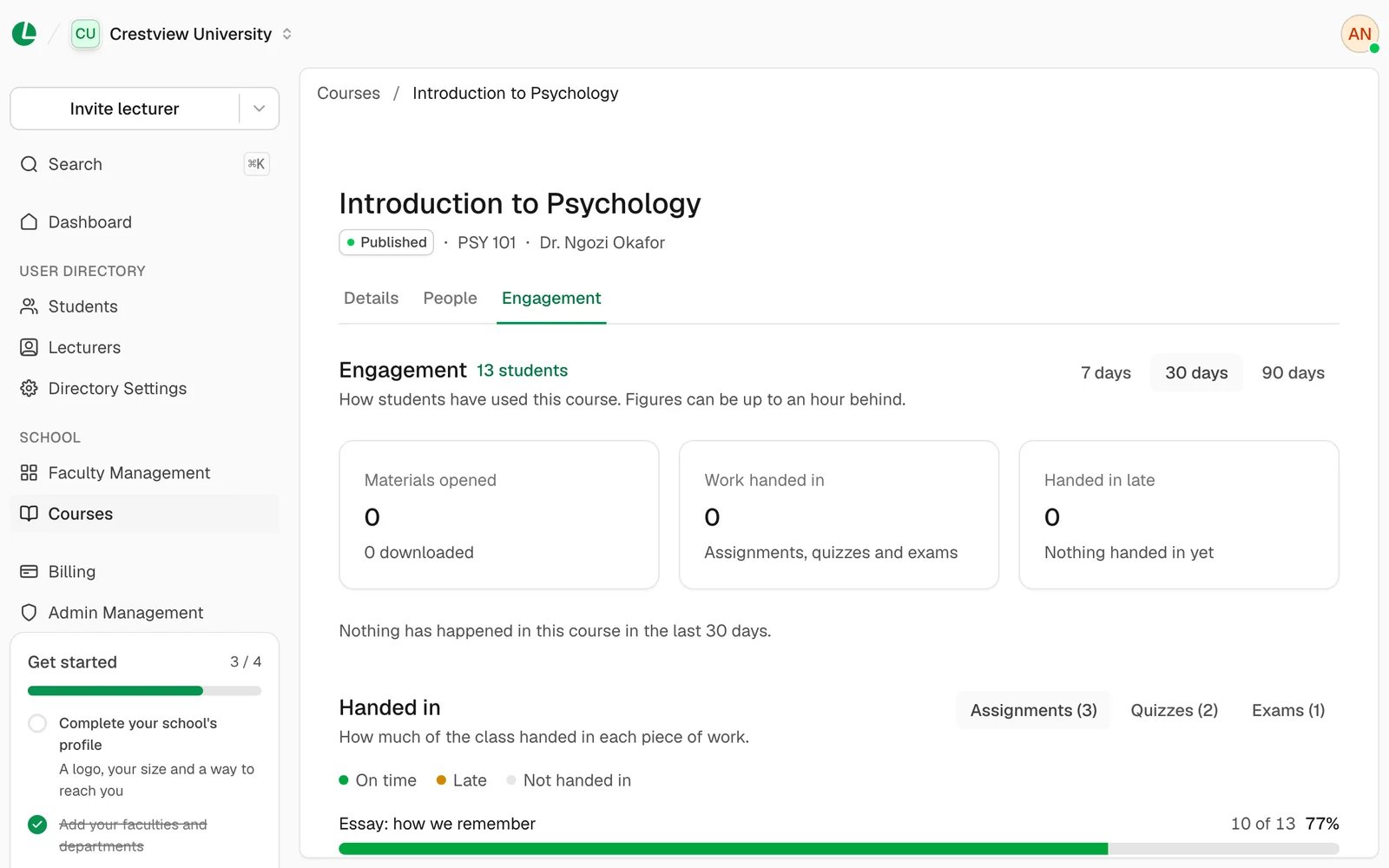
The Engagement tab for Introduction to Psychology.
Good to know
- Figures are totals for the class. Admins don’t see what one student did. Lecturers see more in their gradebook and engagement.
- Courses are read-only here. To change a course, ask its lecturer, or give it to another lecturer.
- Drafts don’t show. A course appears once it’s published.
Next
Lecturers
Invite lecturers and pass on a departed lecturer’s courses.
Students
See which courses a student is in.