

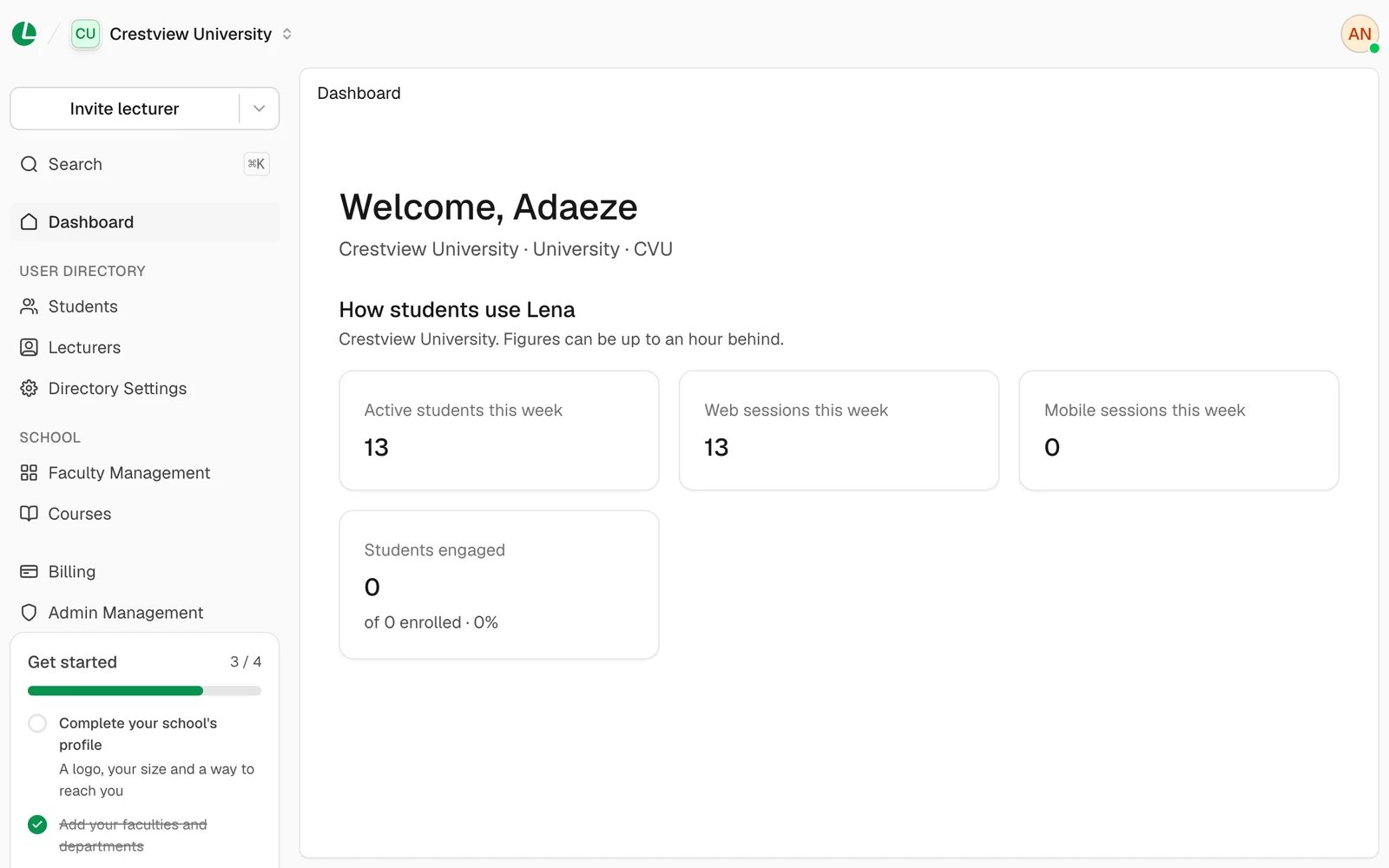
The dashboard at Crestview University, with the Get started checklist at the foot of the sidebar.
A quick tour
- Dashboard shows “How students use Lena”: active students, web and mobile sessions this week, and how many enrolled students are engaged. The figures can be up to an hour behind.
- User directory: Students, Lecturers and Directory Settings.
- School: Faculty Management for your structure, and Courses to see every published course.
- Admin Management, for a Superadmin, to invite the people who run the school with you.
- Invite lecturer, at the top of the sidebar, invites a lecturer. Its arrow also offers Invite student and, for a Superadmin, Invite admin.
- Search (⌘ K or Ctrl K) finds pages, actions and people.
- The school name at the top switches between schools you help run, or adds another.
The words follow your kind of school. A K-12 school sees Teachers, Grade Management and Subjects; other
schools see Instructors and Cohort Management. See words your school
uses.
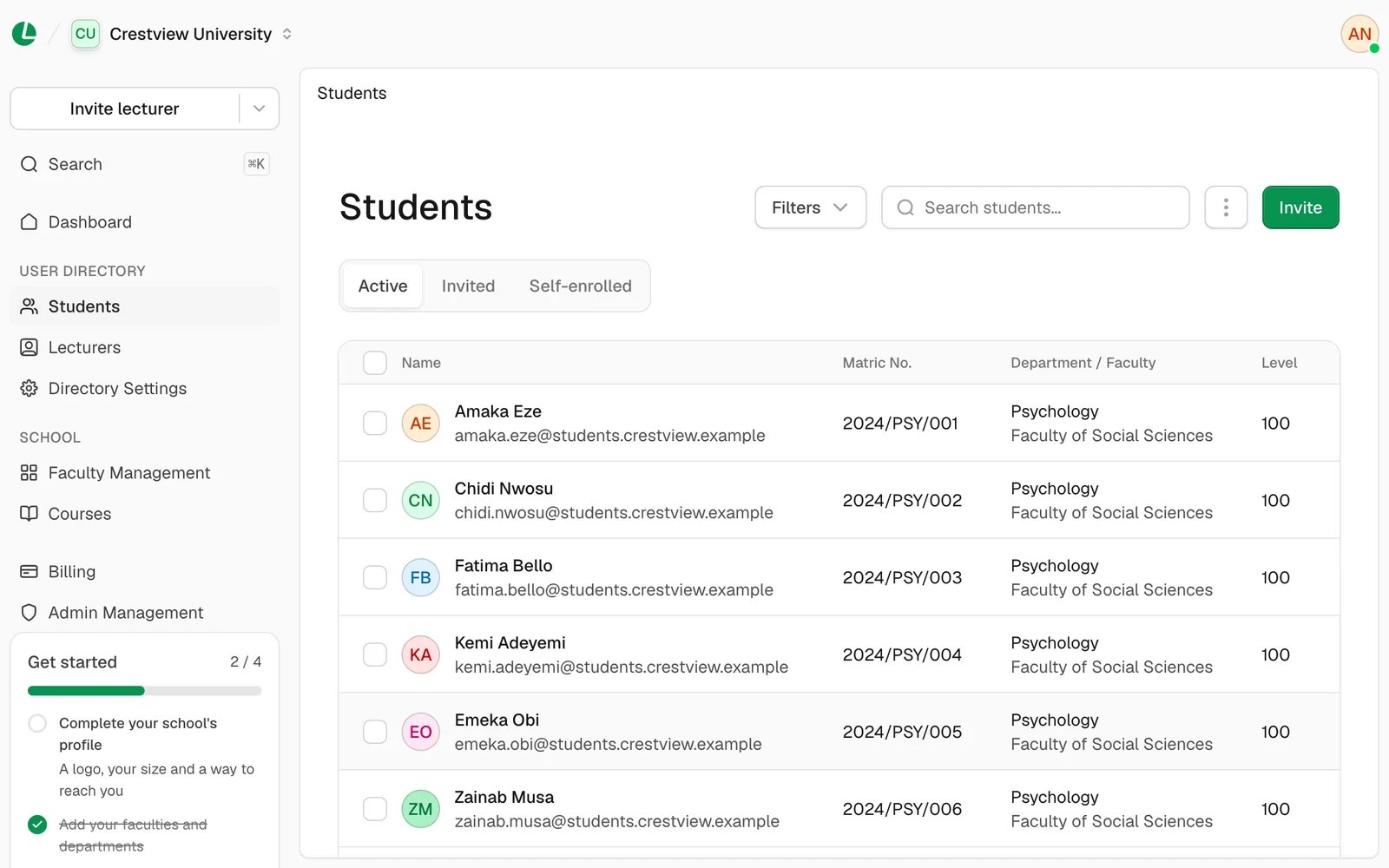
Students, with their matric number and where each sits in the school.
Who can do what
The person who created the school is its owner. Only the owner can change the school’s details, hand the school to
someone else or delete it. You only see the pages your role can use. See
admins and roles.
Set up your school
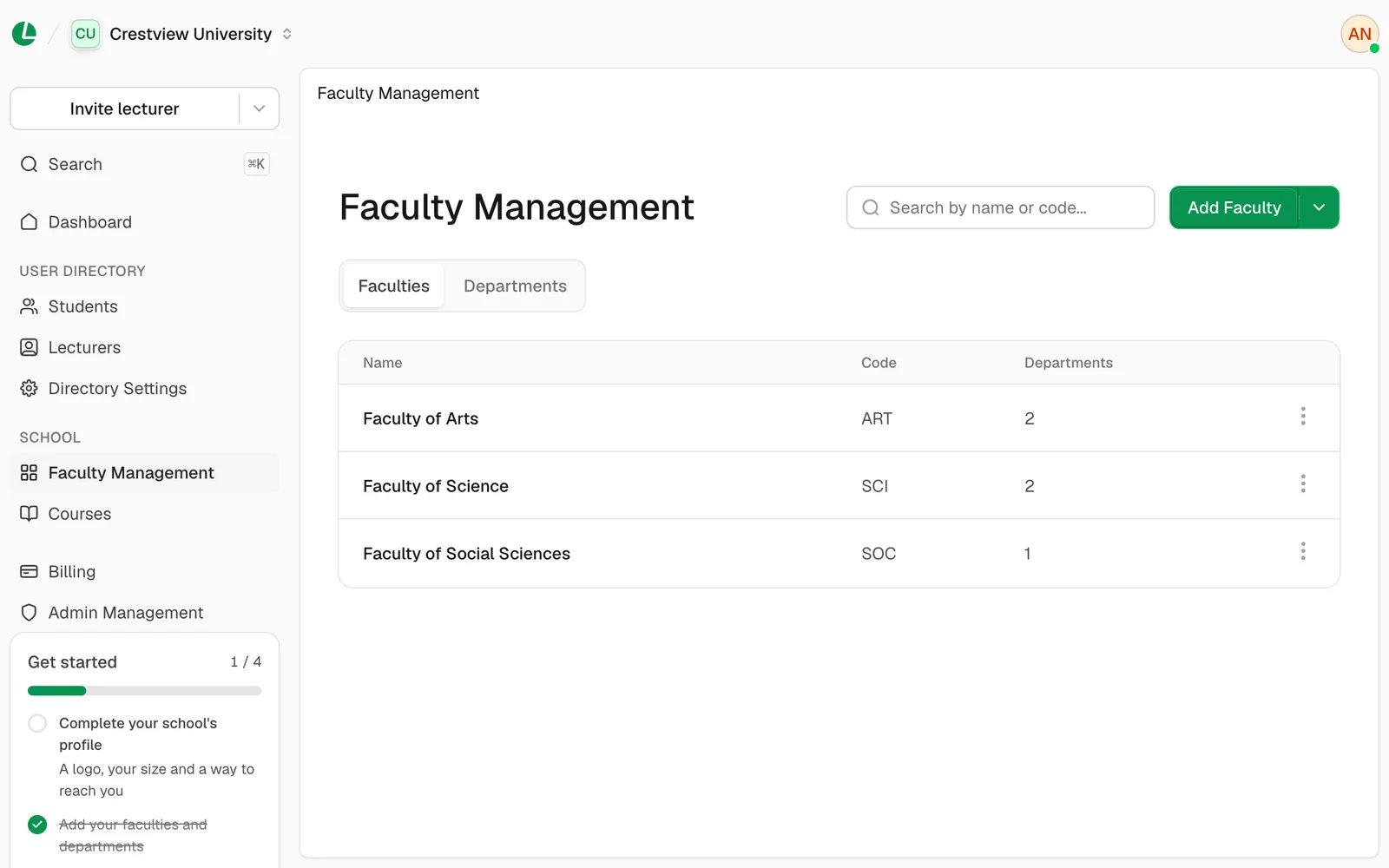
Faculty Management holds your faculties, and the departments and levels inside them.
Create your school
Sign up, name your school and finish the three setup steps.
Set up your structure
Add faculties, departments and levels, or grades and arms.
School settings
Your school’s details, ownership, and your own account.
People
Students
Invite, edit, move and remove students.
Import students
Add a whole class from an Excel sheet.
Lecturers
Invite or import lecturers, and pass on a departed lecturer’s courses.
Admins and roles
Choose who helps run the school, and what each can do.
Running your school
Courses and engagement
See every course and how students use it.
Directory settings
Choose which details people can change themselves.
Lena Agent
What the assistant does for your lecturers, and how to turn it on.