

Your grades across courses
Each row is one course. Assignments, Quizzes and Exams show how much each one has added to your total so far, with your points under it. Total is your grade out of 100%. Status says Passing or At risk.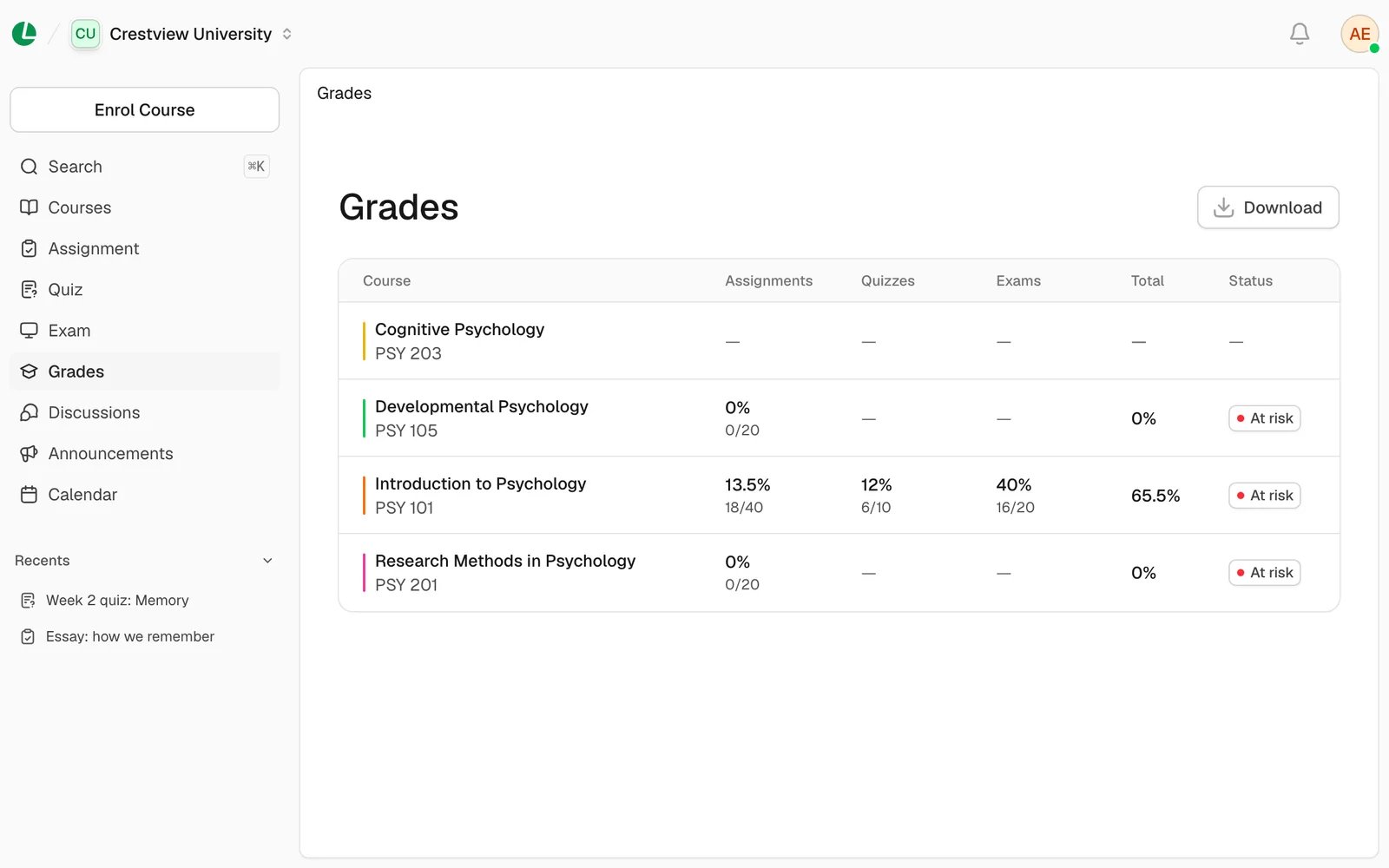
One row per course, with each category’s share of the total.
A course’s breakdown
Choose a course to see its Grade summary. It shows your total on a bar, with a marker for your pass mark. Below it are the Breakdown table and Missing work, which lists the work you don’t have a score for yet. The Assignment, Quiz and Exam tabs list each piece of work with your score.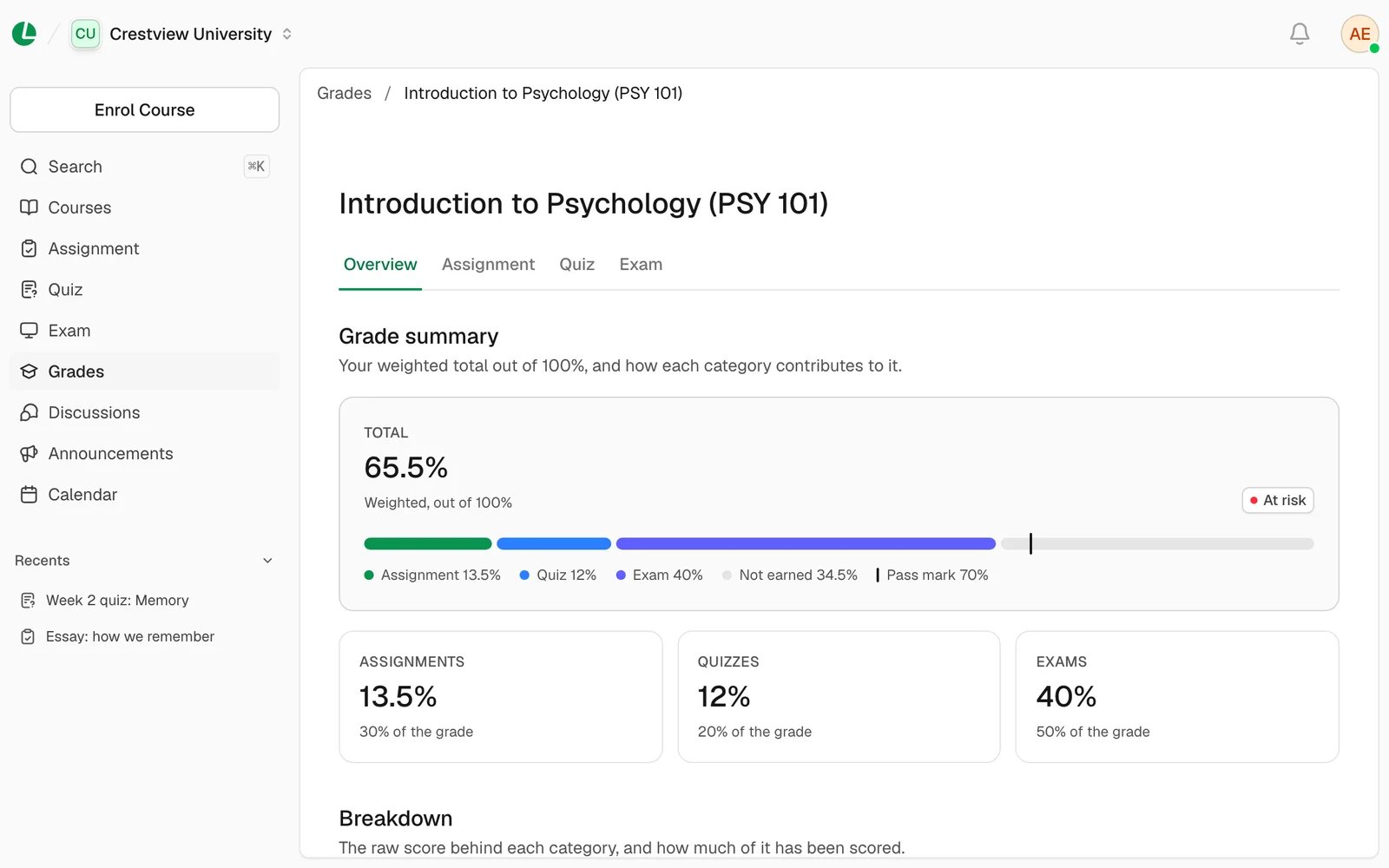
The breakdown for one course, with missing work at the bottom.
How your total is worked out
Your lecturer decides how much assignments, quizzes and exams are each worth. For each one, Lena looks at the points you’ve earned out of all the points available. It turns that into a share of what that part is worth. The three shares add up to your total. For example, Dr. Okafor makes assignments worth 30% of PSY 101, quizzes 20% and exams 50%. Amaka gets 18 out of 20 on assignments, which gives her 27%. She gets 8 out of 10 on quizzes, which gives her 16%. She gets 14 out of 20 on exams, which gives her 35%. Her total is 78%, and that’s what her Grades page shows. Change the numbers to see how yours works out:- All the work your lecturer has set counts. Work you haven’t done, or that isn’t graded or released yet, counts as 0 for now. So your total can look low early in the term, then go up as results come in.
- You choose your own pass mark. It’s not your school’s pass mark. It’s 70% unless you change it. You can set it anywhere from 40% to 80% in Settings → Preferences → Pass mark. It only decides when a course shows At risk.
Your feedback on an assignment
Open the assignment and choose Your submission. Once grades are released, you’ll see your Grade and the Feedback from your teacher. If there was a rubric, you’ll also see your Rubric scores: the level you reached for each thing your lecturer marked.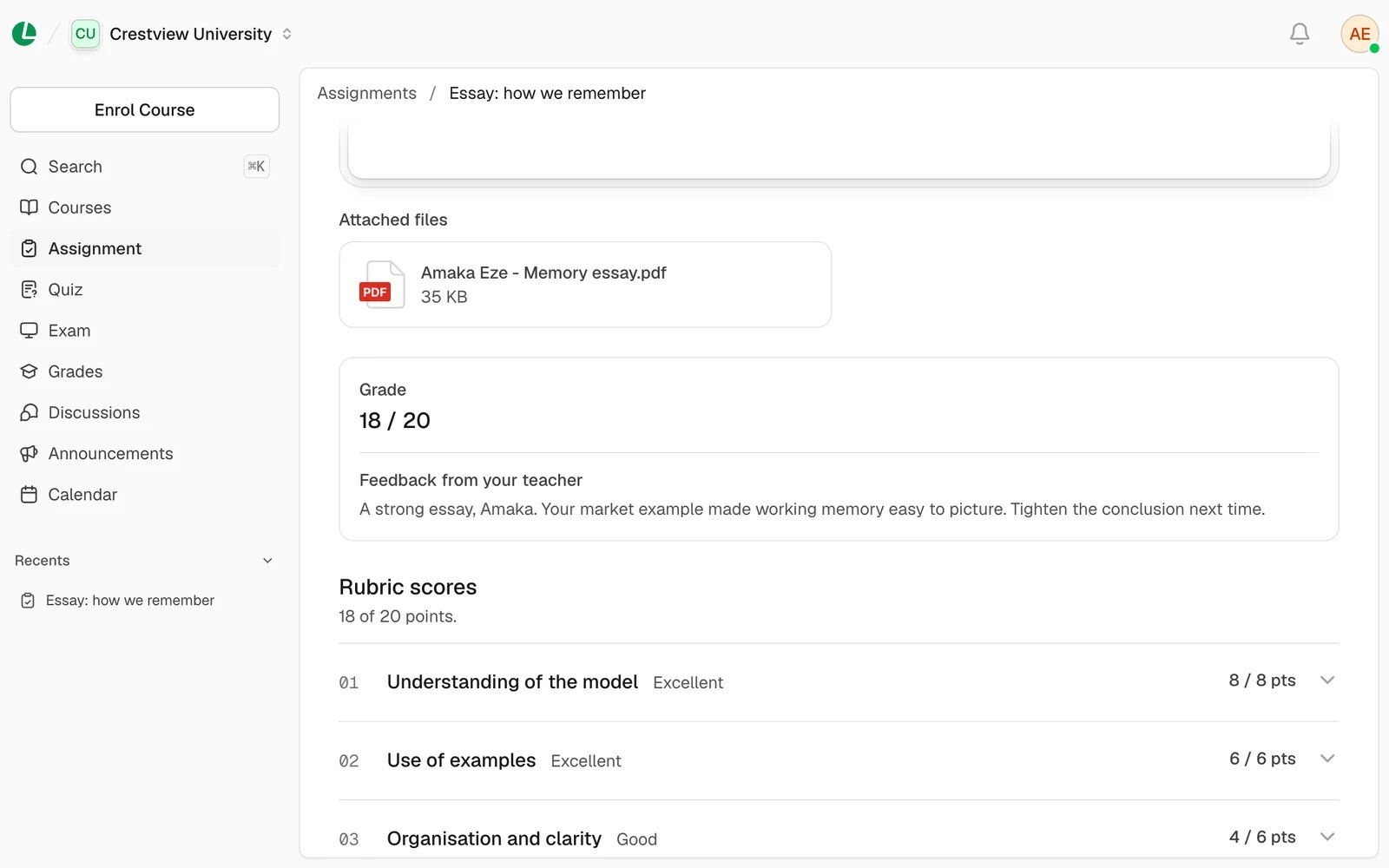
Your grade, your lecturer’s comments and the rubric levels you reached.
Good to know
- Grades come for the whole class at once. Your lecturer releases them together, so a classmate can’t see a grade before you do.
- Lena tells you when a grade is released, if your notifications are on. See notifications.
- Your total doesn’t change yet? Wait a moment after a grade is released, then reload the page.
Next
Submit an assignment
Hand in your work once, when it’s ready.
Change your pass mark
Settings for your profile, school, notifications and preferences.