The rules of a computer-based exam in Lena, what happens if you leave the page, and how to see your result.
Exams in Lena are computer-based tests (CBT): multiple-choice questions, a timer, and one try. The rules are strict, so
read this page before exam day.
Use the phone or computer you’ll finish on. If the exam page closes by accident, or your phone switches off, you
can only go back into the exam on the same phone or computer, in the same browser.
Be online to start. You can’t start an exam without the internet.
Charge your phone or computer, and turn off notifications. Switching to another app counts as leaving the exam.
Check the exam is there.Exam in the sidebar shows the exams for your place in the school, on Open and
Past tabs. If an exam is missing, check your faculty, department and level (or grade and arm) in Settings →
School. Then ask your lecturer.
Choose the exam in Exam. Details shows the time limit, the total marks, the marks for each question, and
when it starts and ends. Choose Start exam.
2
Read the rules and begin
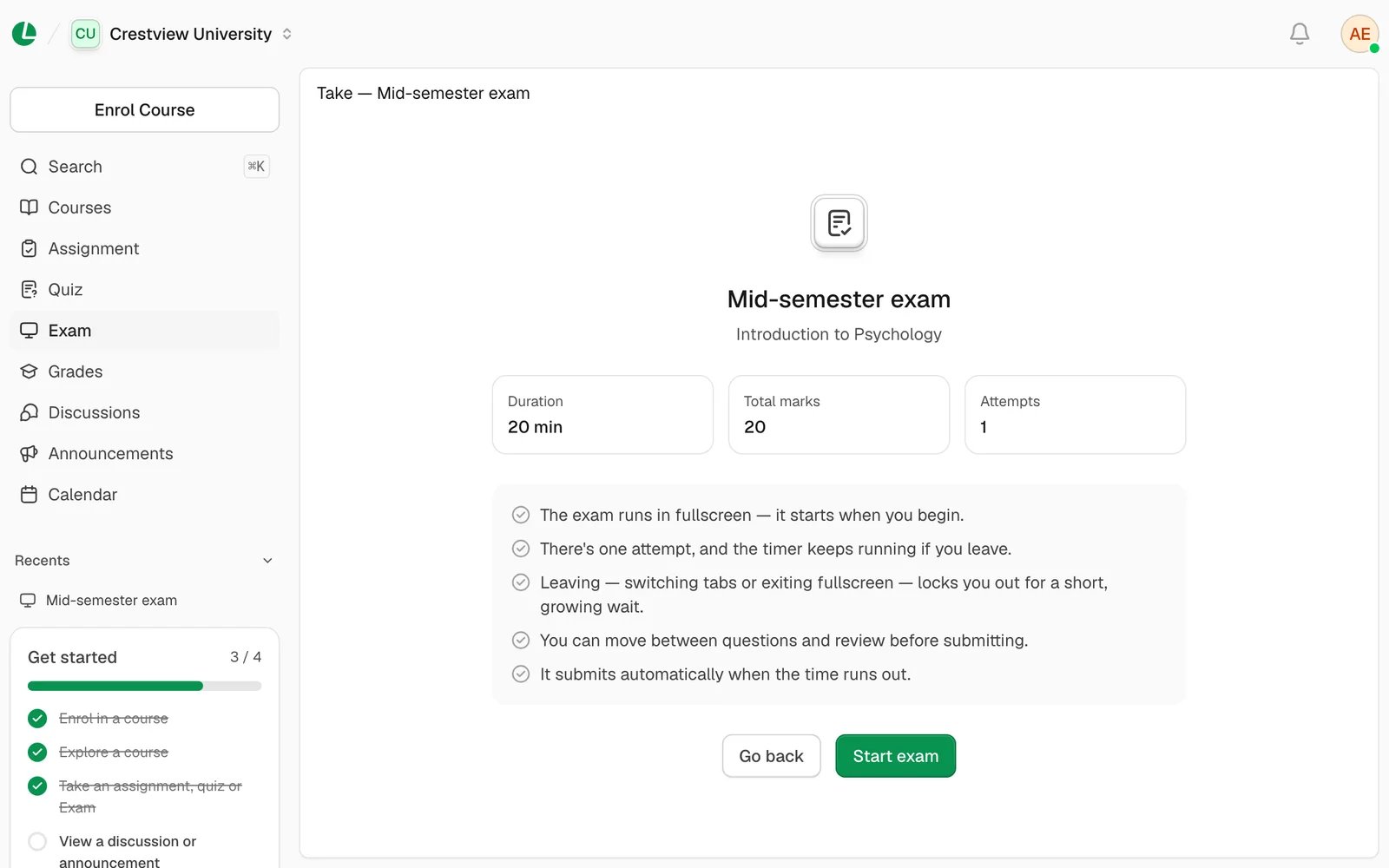
The next screen shows how long you have, the total marks, “Attempts: 1” and the rules. Choose Start exam. The
exam fills the screen and the timer starts.
The rules, one last time, before the timer starts.
3
Answer the questions
Choose an answer for each question, then Next. Some questions have pictures. On a laptop, you can also press
A to D to pick an answer, and N or P to move between questions. The
question overview shows which questions you’ve answered, skipped or not reached.
4
Submit
Choose Submit, then Submit again. You can’t change your answers after this.
Done. Your score shows here if results are already out.
Fullscreen, all the way through. The exam fills the screen from the moment you begin.
One try. You can’t take it again.
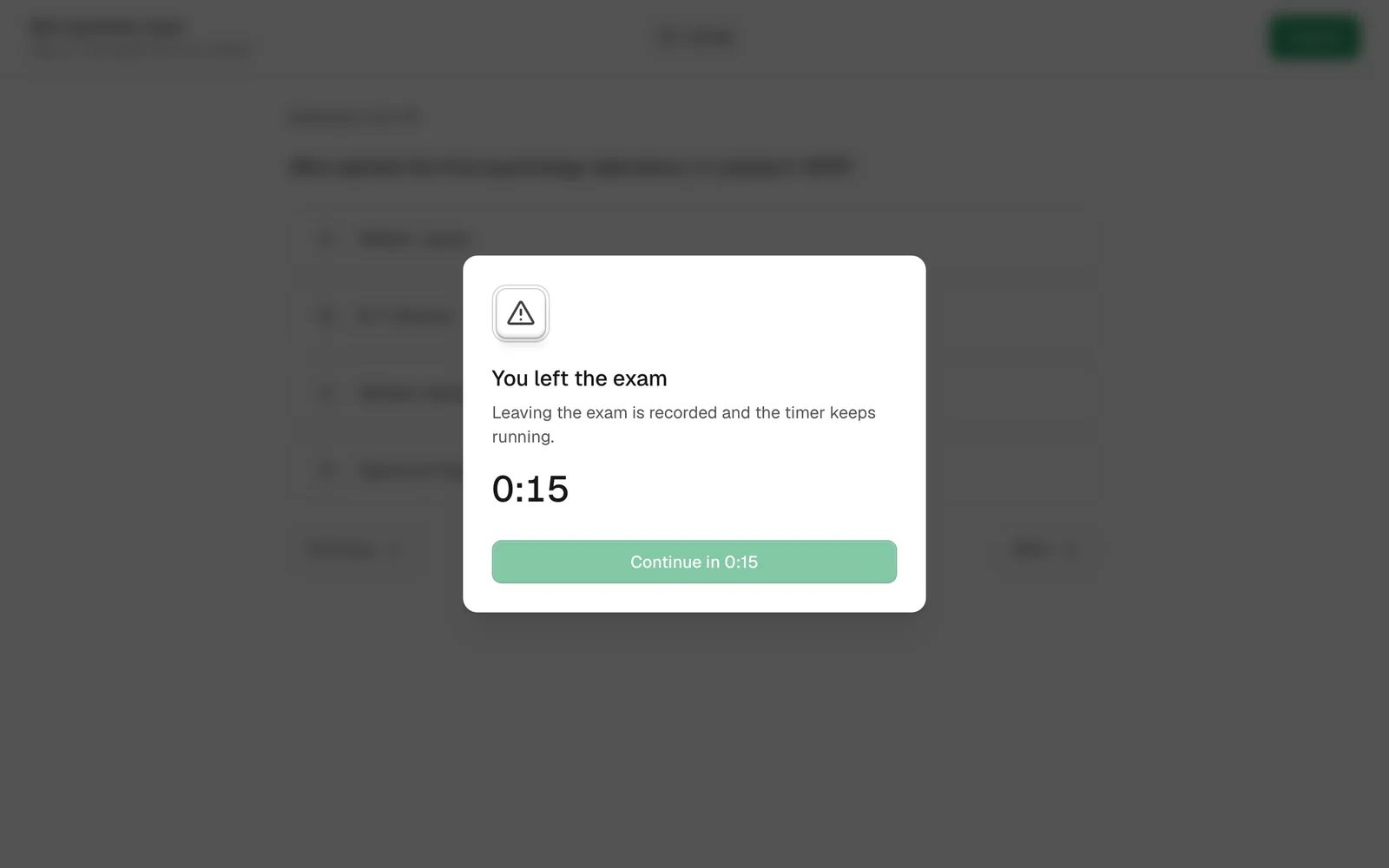
Leaving makes you wait. If you switch to another tab or app, or leave fullscreen, your exam doesn’t end. But Lena
shows “You left the exam” and makes you wait before you can carry on. The wait gets longer each time. When it’s over,
choose Continue exam. Lena keeps a count of every time you leave.
The wait counts down before you can carry on. The exam timer doesn’t stop.
The timer never stops, not while you wait and not while you’re away. If time runs out while you’re waiting, Lena
hands in your exam.
Coming back makes you wait longer. If the exam page closes and you open the exam again, choose Resume exam. You’ll see
“You came back to the exam” and wait before you can carry on. This only works on the same phone or computer, in the
same browser.
You can’t copy, paste, print or right-click during the exam, and you can’t reload the page. If you try to close
the page, your browser asks you to confirm.
When time is up, Lena hands it in. When your time runs out, or the exam’s end time comes, Lena hands in whatever
you’ve answered. If you start late, you get less time: you can’t go past the end time.
Lost your internet partway through? Keep answering. Each answer is saved on your phone or computer the moment you choose it: under the question you’ll see “Saved on
this device”, then “Sent” once it reaches Lena. If you hand in while offline, you’ll see “Submission saved”, and Lena
sends it as soon as it can, even if you close the page. Answers you chose before time ran out still count if they get
through shortly after; answers chosen after time is up don’t.
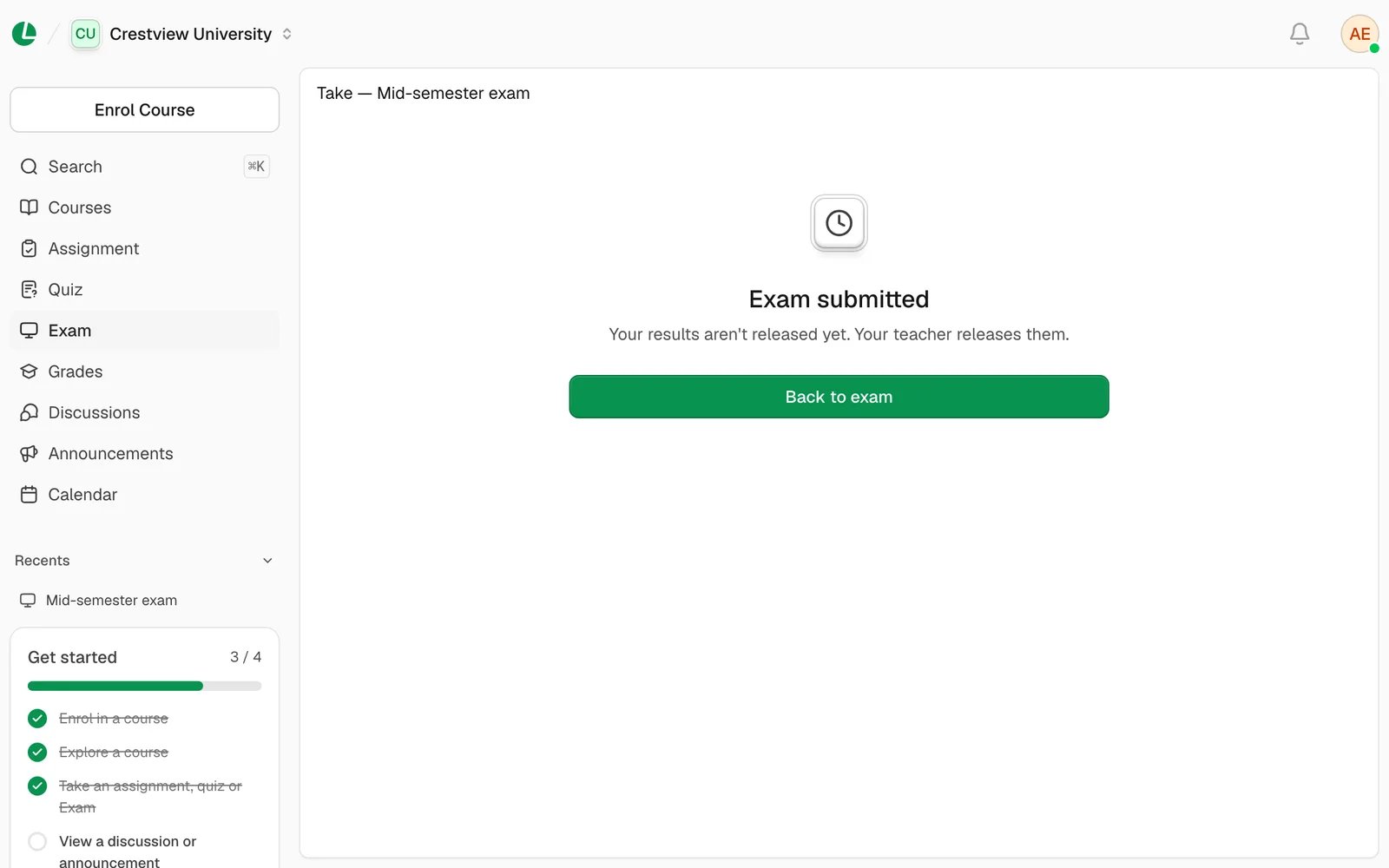
If results are already out, the Exam submitted screen shows your score, Passed or Failed, and how many you
got right, wrong or skipped. If not, it says your results aren’t released yet. They come when your lecturer releases
them, or when the exam ends. Find them later on the exam’s Your result tab and on Grades.
“We couldn’t start this exam. It may have ended or you may not be eligible.”
Check the start and end times on Details, and check you’re online. If the exam is open and you still can’t
start, ask your lecturer to check that the exam is set for your class.
I can’t get back into my exam on another phone or computer
You can only go back into an exam on the phone or computer, and the browser, you started it on. Go back to that one.
“Exam ended” or “Already submitted”
The exam is closed, or you’ve already taken it. Your result will show on Your result once it’s released.
“Unavailable”: “This exam isn’t available.”
The exam isn’t open to you right now. Check its times, or ask your lecturer.
“You need a connection to start this exam.”
You can’t start an exam offline. Reconnect, then start it. Once it’s started, you can keep answering if the
connection drops.
“Exam received”, then “Your exam wasn’t saved”
Your exam reached Lena in time, but couldn’t be saved. It’s still on your device: choose Send it again. You
won’t have to redo anything.