Each course has its own page with everything your lecturer has shared. Open it from Courses, from Recents in the sidebar, or with Search.

The course page

A course page has four tabs. On a phone, they’re in a menu at the top of the page.
The Introduction to Psychology course page on a phone, showing the Details tab with the overview and structure

A course on a phone: the details, with the other tabs in the menu at the top.

To keep a copy of the outline, choose Save outline. It downloads to your phone or computer.

Open a study material

1

Go to Study Materials

Open the Study Materials tab. Choose a folder to open it. To go back, use the path at the top, starting at All files. To find a file by name, use Search….
2

Choose the file

Choose its name. Most files open right inside Lena, so you don’t need to download them.
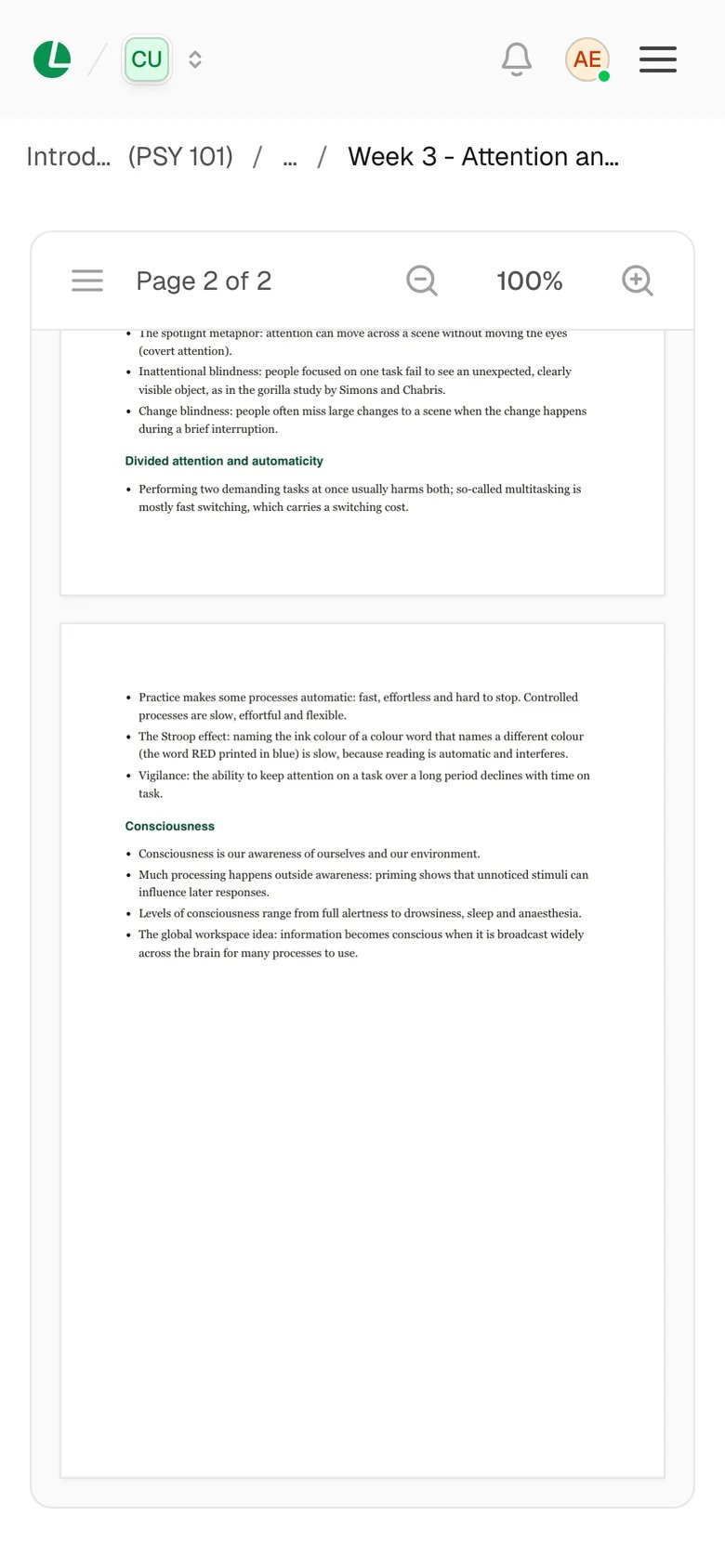
A Week 3 Attention lecture notes PDF open in the Lena viewer on a phone

Lecture notes open inside Lena, page by page.

3

Download it, if you want a copy

Choose Download at the top of the file. Or choose ⋮ on the file’s row, then Download. To send it to a classmate in the same course, choose Copy link and share the link.

What opens inside Lena

  • PDFs, page by page. You can zoom in and jump to a page.
  • Videos and audio, in Lena’s own player.
  • Pictures, text files and Word documents (.docx). Word documents show as plain text.
  • Zip files: you see a list of what’s inside.
PowerPoint slides, Excel sheets and older Word files (.doc) show “No preview available”. Download them to open them in another app. Some materials are links to other websites. Before you go, Lena shows “You’re leaving Lena”. Choose Continue to go, or Stay in Lena to stay. Tick Don’t ask me again if you don’t want to be asked again for that website.

People

The People tab lists your lecturers and your classmates. Use the search box to find someone. To email someone, choose ⋮ on their row, then Send email or Copy email.

Good to know

  • Going somewhere without internet? Your current courses and their list of materials stay on your device, but a file only opens offline if you’ve opened it before. Open or download the files you’ll need first. See Lena on your phone and offline.
  • Leaving a course removes your access to its materials. See join a course.

Troubleshooting

Your lecturer hasn’t shared anything in this course yet. Check back later, or watch your Inbox for updates.
You need the internet to open files in Lena. Reconnect and open it again, or use a copy you downloaded earlier.
Lena can’t show a PDF that needs a password. Download it and open it with the password, or ask your lecturer for a copy without one.
Your lecturer may have removed or replaced it. Go back to Study Materials and look for a newer version.

Next

Hand in an assignment

Read the question and rubric, then submit your work.

Join the discussion

Read announcements and talk with your class.